
New projects that haven't been launched have a status of PENDING status. Since the peeq dashboard filters for only LIVE and PAUSED by default, this can cause your project not to appear after being set up.
To quickly find a newly created project, follow the steps below:
1. Click Clear Filters
2. Select PENDING from the project status filter
3. OPTIONAL: Type in the name of your project without hitting search
4. Click Apply Changes
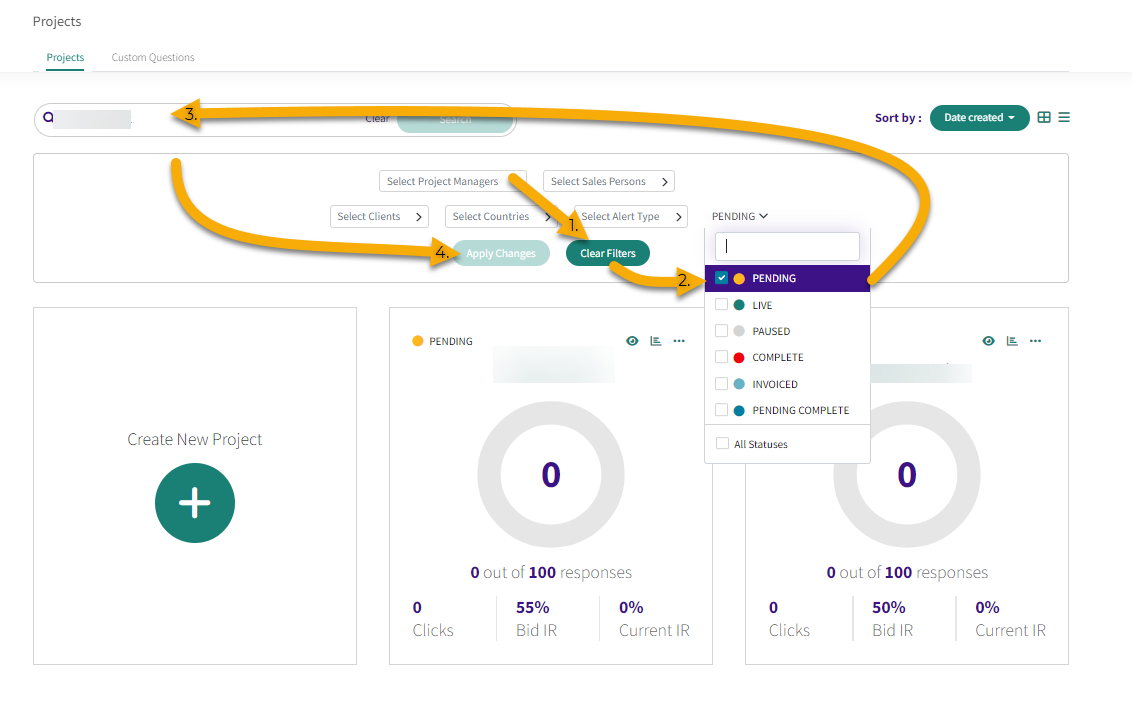
This will show all PENDING projects on your peeq account, including ones from other project managers. Additional filters can be applied by making additional selections and clicking on Apply Changes to further refine the results.