
This article covers the following features available in Sample Group targeting: Quota distribution, grouping target criteria, nesting targeting, and excluding specific target criteria. For information on basic sample group setup, refer to our article on sample group setup.
Grouping Target Criteria
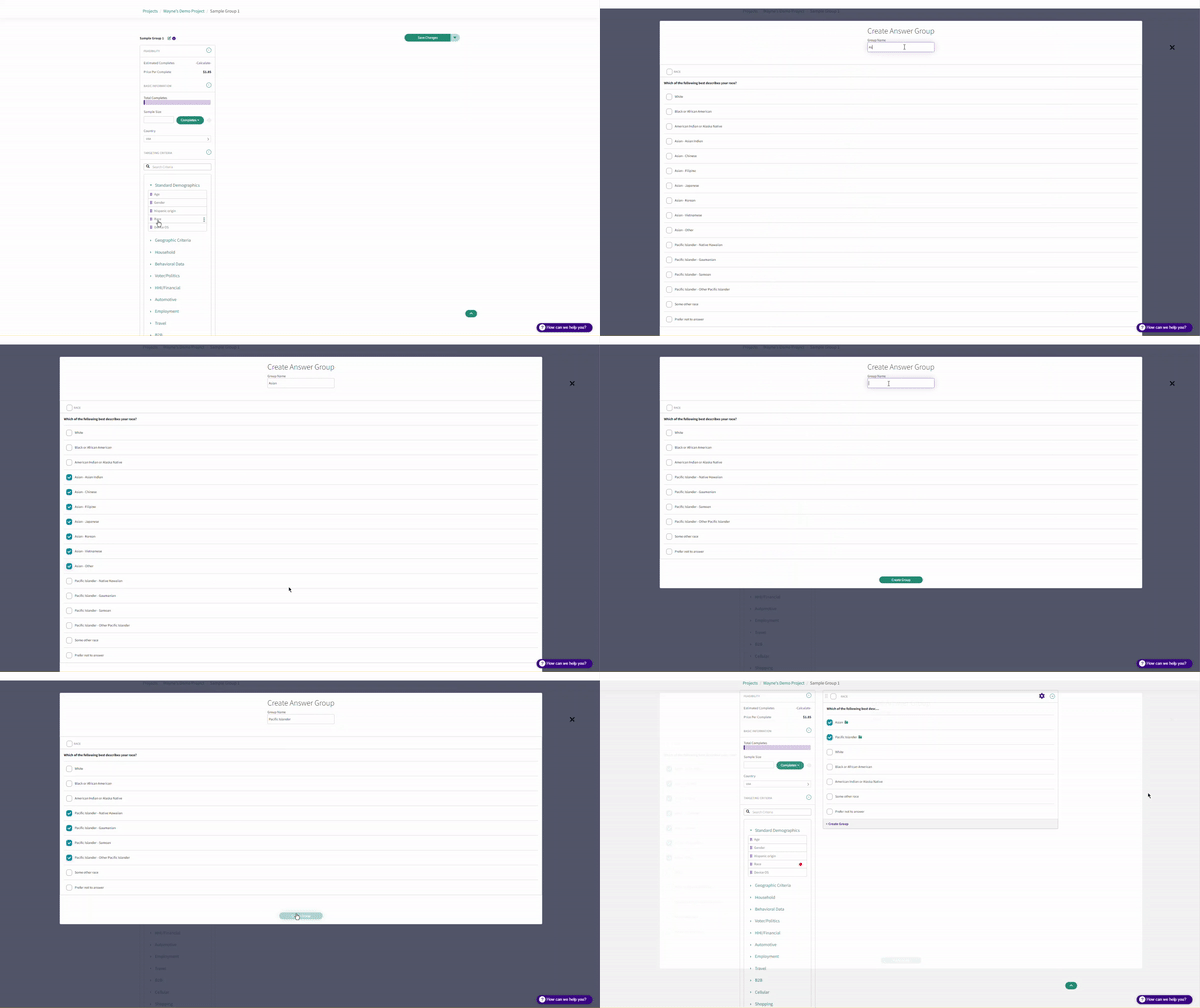
Grouping targeting criteria allows for specific profiling points to be grouped into one question. To group targeting criteria, click "+Create Group" at the bottom of the profiling point, name the sample group and select the profiling responses to group:
Quota Distribution
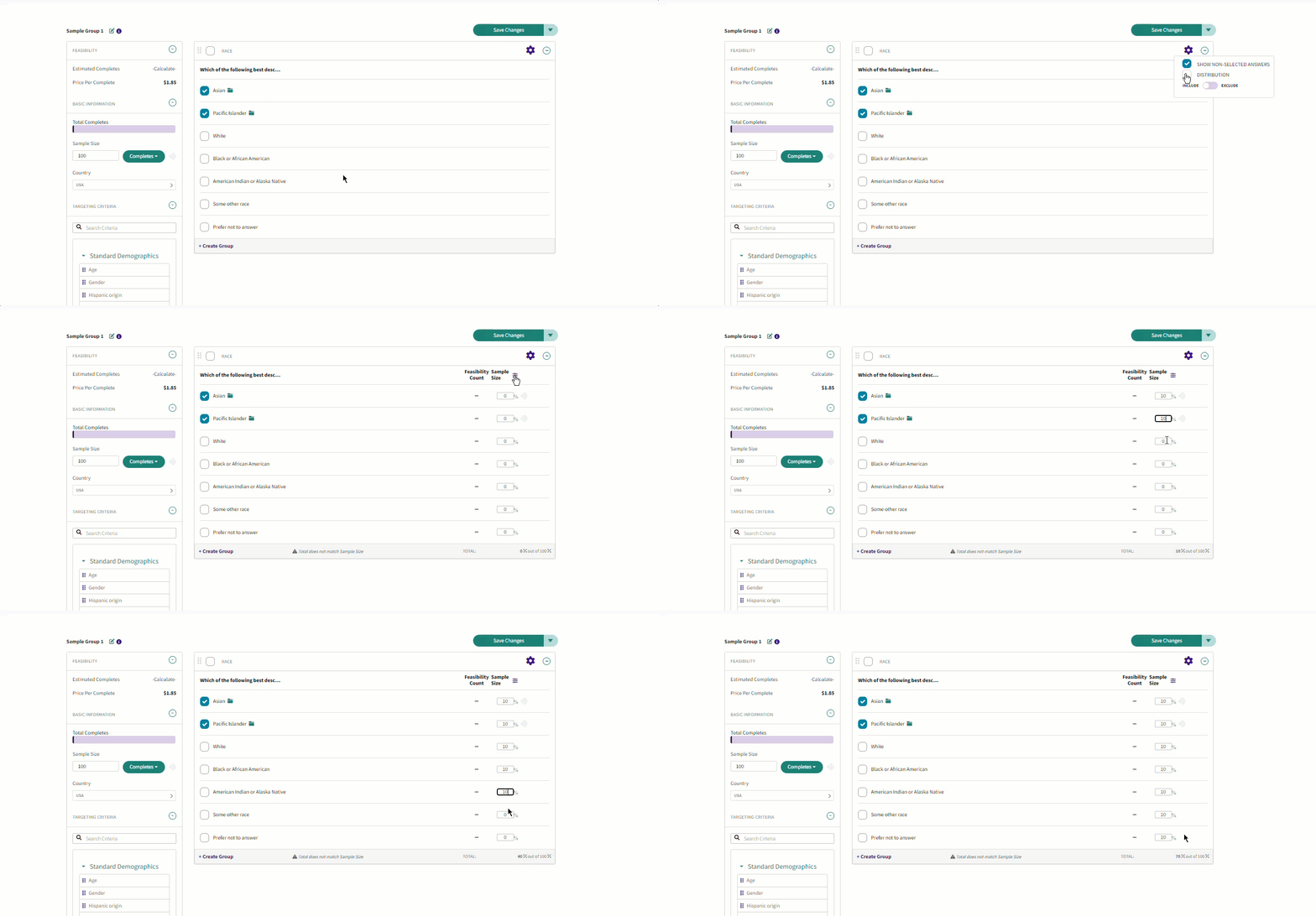
To add a quota distribution, click on the  icon in the top right corner of the box and select Distribution. To toggle to percentage, click
  next to Sample Size. Note: The numbers do not need to add up to the total
Nesting Targeting
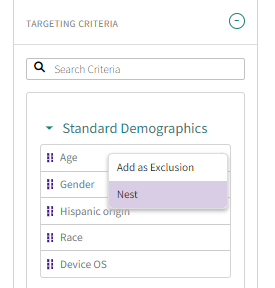
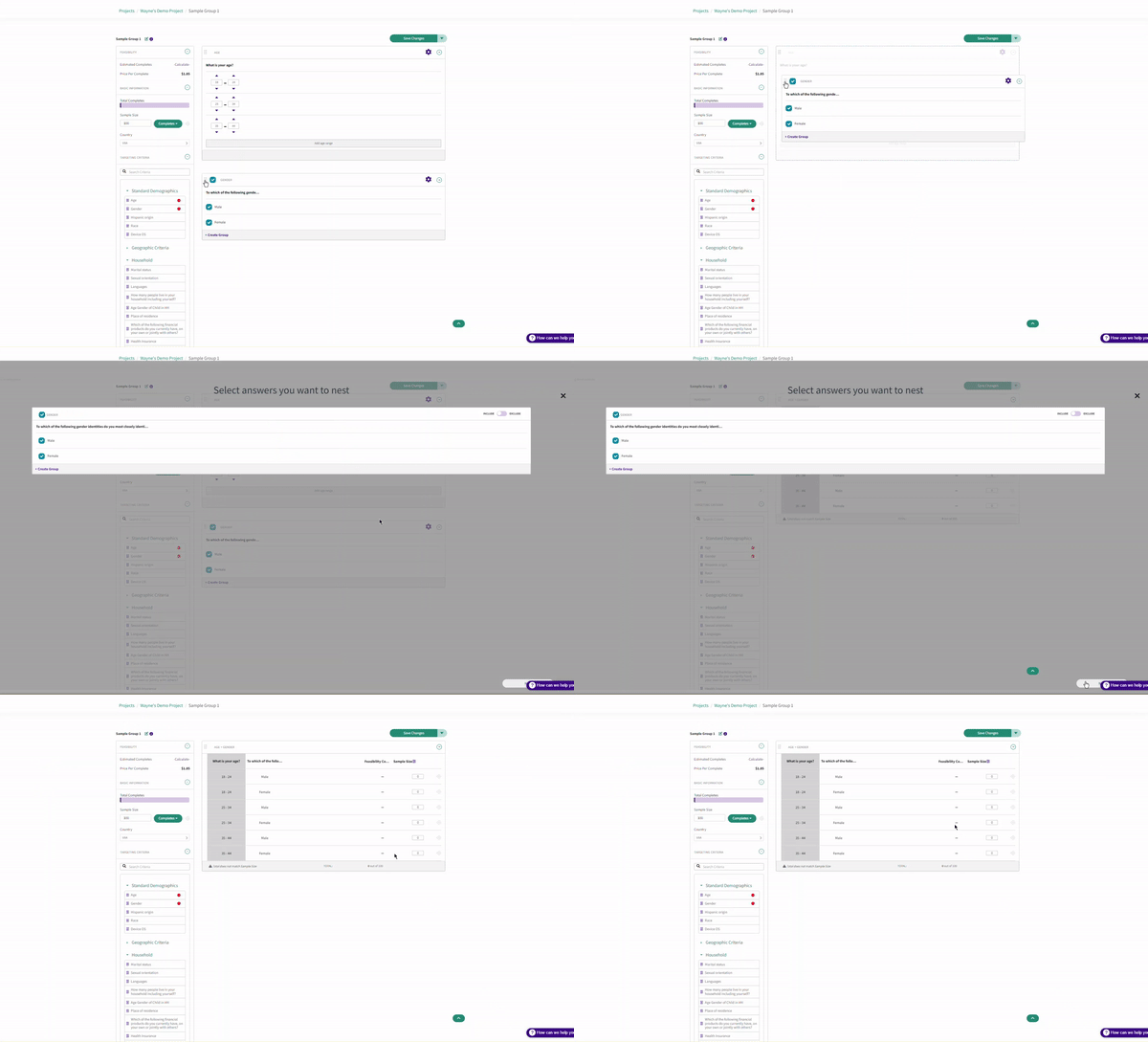
To nest targeting criteria, drag and drop one target into the other, or select Nest from the Targeting Criteria section
or
Excluding Target Criteria
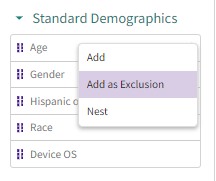
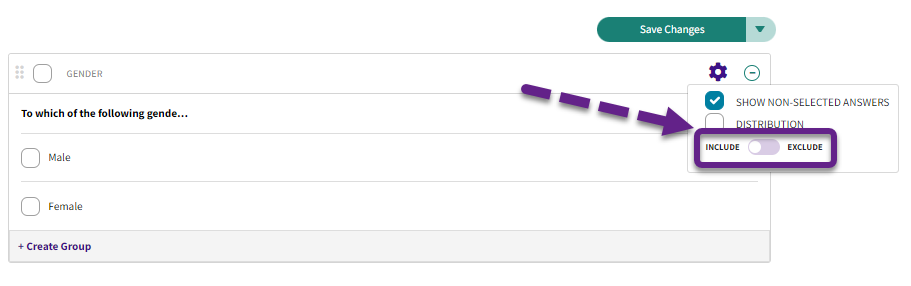
Specific profiling points can be set as an exclusion by either selecting "Add as Exclusion" or by clicking on the and switching the toggle to Exclusion. Any selected profiling point will now be excluded from the traffic.
Or
Have more questions or need additional support?
Our experts are happy to do a screen share and walk-through of this process with you.
Submit a request or Live Chat with us!