
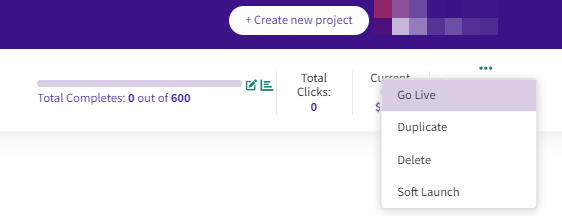
A project is ready to Go Live once it's set up, or when a soft launch has been completed. Once the project is Live, Prodege peeq will send sample into the active sample groups until the project's total sample size has been reached.
If the incidence rate is expected to be 20% or lower, we recommend using the Soft Launch feature to determine project performance. For additional information on how to soft launch a project, article on soft launch
Going Live
Once a project has been set to Go Live, peeq will sample to any sample groups set to Active until the Total Completes on the project has been reached.
Once your project is LIVE, you will find real-time details for ‘Total Completes’, ‘Total Clicks’ and ‘Current CPI’ automatically populate on the top right corner of the project page.
Lifetime Project Stats
Once a project is LIVE, the Lifetime Project Stats, located in the Sample Group tab in the project, will update in real time with project performance statistics. For additional options and details for tracking project performance and metrics, please visit our article on on monitoring your project
Updating Overall Project Completes after Launch
The total number of completes can be changed on the fly by clicking on the edit button next to the progress bar anywhere in the project view and confirming with the green check mark.
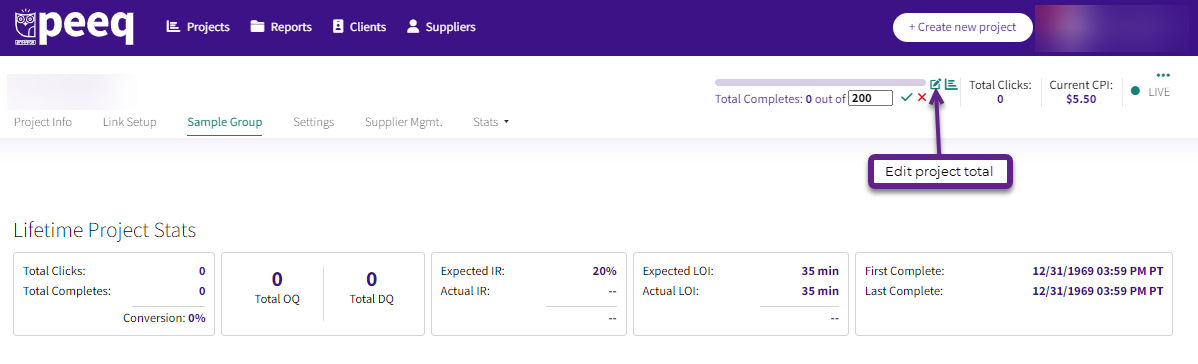
Requesting a larger number of completes does not necessarily increase the amount of traffic coming into the survey. For additional information, please visit our article on boosting your project
Have more questions or need additional support?
Our experts are happy to do a screen share and walk-through this process with you.
Submit a request or Live Chat with us!