
To boost the amount of traffic to a project, the Current CPI can be increased. This will increase incentives respondents, and project priority to the available sample pool and help boost response rates. The new CPI can only be a higher value than the Current CPI.
Increase Current CPI
Click the pencil icon next to "Current CPI" on the project page to increase the CPI

A window will appear where you can type in the new CPI:
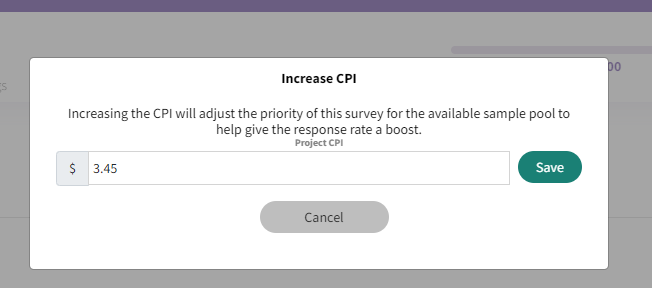
Once the CPI has been increased, peeq will automatically increase your Max CPI to match. For additional information, please visit our articles on Real-Time Pricing and Max CPI
Have more questions or need additional support?
Our experts are happy to do a screen share and walk-through of this process with you.
Submit a request or Live Chat with us!