
Adding clients to Prodege peeq is not required, but is helpful when sorting or search for projects within your account and for quick reference. Any added clients will appear in the dropdown list for Clients when setting up a new project, and in the dashboard filter. Client information is visible only to other users on your peeq account.
Adding a New Client
Click ‘Clients’ at the top of the dashboard and ‘+Add New Client’ and enter client information.
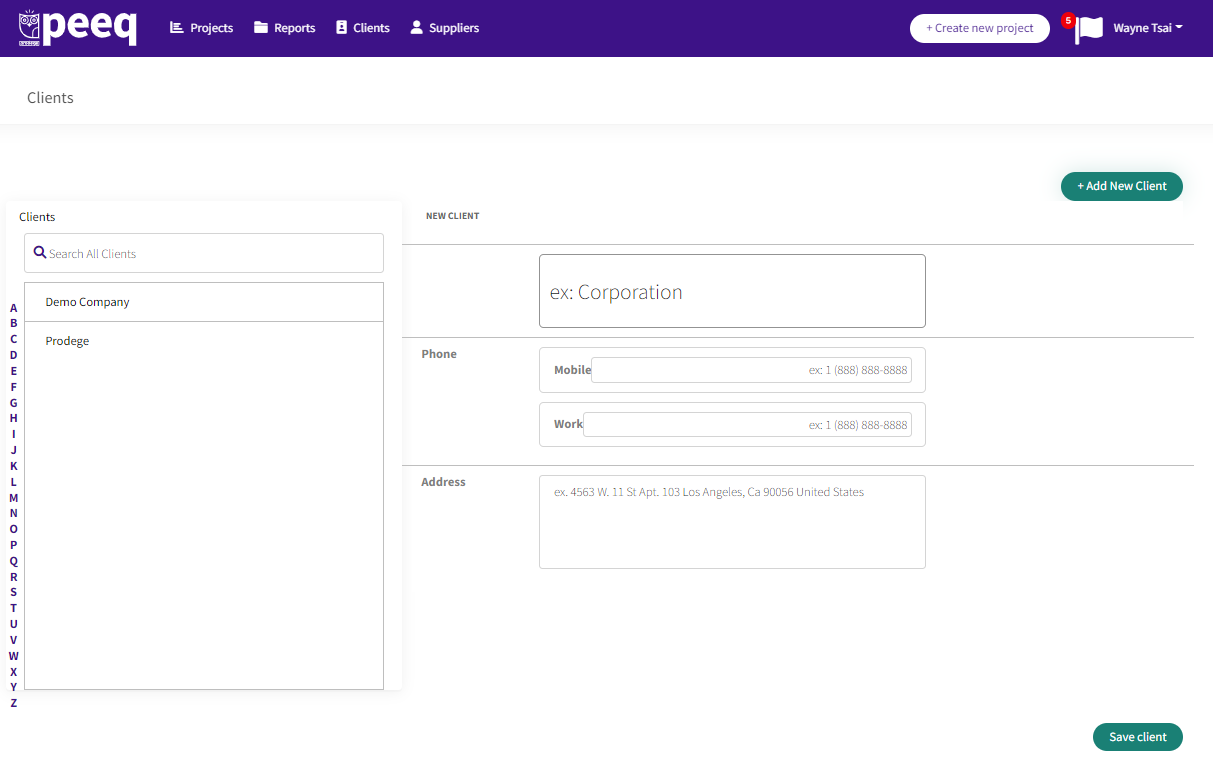
Once your clients are added to your account, the client name will appear in the dropdown options of ‘Client Name’ when setting up a new project.
Have more questions or need additional support?
Our experts are happy to do a screen share and walk-through of this process with you.
Submit a request or Live Chat with us!