
This article covers Prodege peeq has many options for monitoring the progress and performance of a project.
Total Project Completes
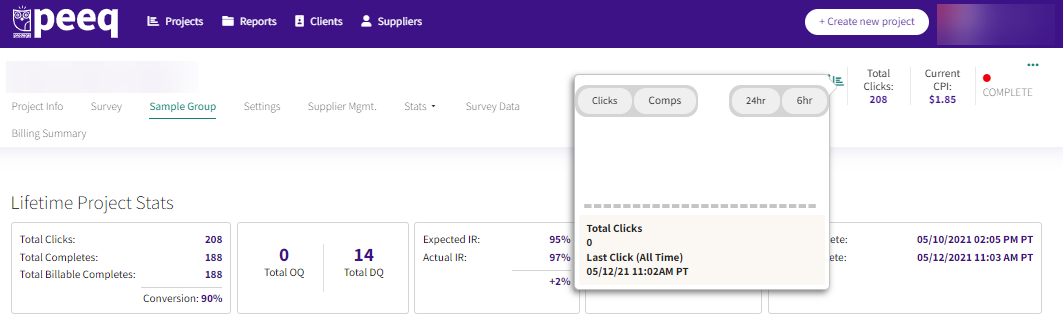
The Total Completes of a project is always displayed in the upper right corner of the dashboard. Clicking the  button next to the progress bar will show a basic activity report, which can be filtered by clicks or completes, in the last last 6 or 24 hours.
Lifetime Project Stats
Available under the "Sample Groups" tab, the Lifetime Project Stats displays additional overall project performance statistics, updated real-time as the project progresses.
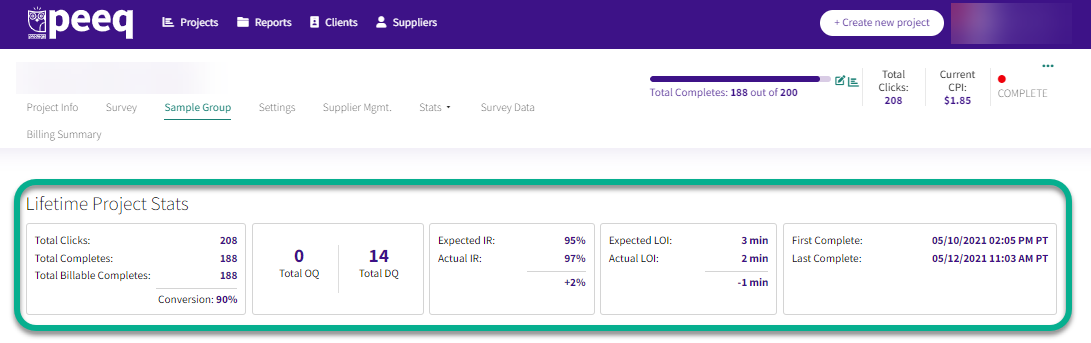
Specifics on each metric:
- Total Clicks: # of qualified (based on selected sample targeting criteria) respondents that have been sent to your survey URL.
- Total Completes: # of respondents that On-Demand recorded as successfully completing your survey.
- Conversion %: calculation of the number of completes / clicks
- Total OQ: # of respondents which were sent back to the over-quota link from your survey
- Total DQ: # of respondents which were sent back to the disqualification link from your survey
- Expected IR: Incidence Rate (IR) specified on the project info/setup.
- Actual IR: # of Completes / (# of completes + # of DQ + # of OQ)
- Expected LOI: Length of Interview (LOI) specified on the project info/setup.
- Actual LOI: Median Length of Interview for (status) successful survey completions
Detailed Statistics
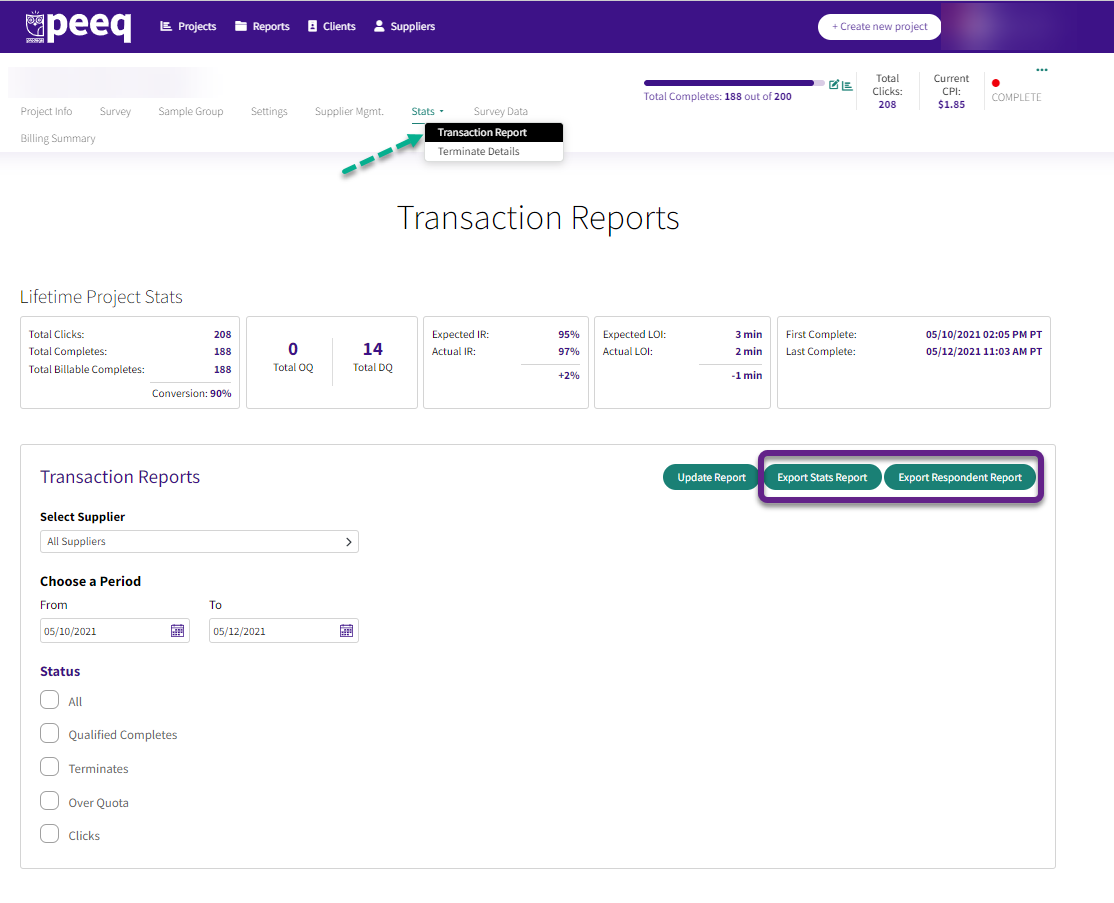
Specific statistics can be found under the Transaction Report page under the Stats tab. Counts can be sorted by sample source, by period and respondent statuses collected. Once filters have been set, clicking Update Report will display a bar chart showing the counts of each status by day.
A CSV file containing data for individual respondents, including their LOI, CPI, click and redirect time/date, can be downloaded with the Export Stats Report and Export Respondent Report buttons.
Have more questions or need additional support?
Our experts are happy to do a screen share and walk-through this process with you.
Submit a request or Live Chat with us!