
Overview
The Soft Launch feature in Prodege peeq allows for up to 20 completes to be collected before automatically pausing the project. This allows for a pause to check initial project performance and survey data, and for the platform to determine Actual CPI from project performance.
On soft launch, Prodege peeq will calculate the number of clicks needed to achieve the soft launch goal based on the incidence rate and length of interview specified during project setup. When the clicks or soft launch goal has been reached, the project will automatically pause and an email alert will be sent to the project manager(s) for the project.
We recommend taking using Soft Launch for any projects that are expected to come below 20% IR so the appropriate amount of sample can be sent through to accurately gauge project performance
Soft Launch
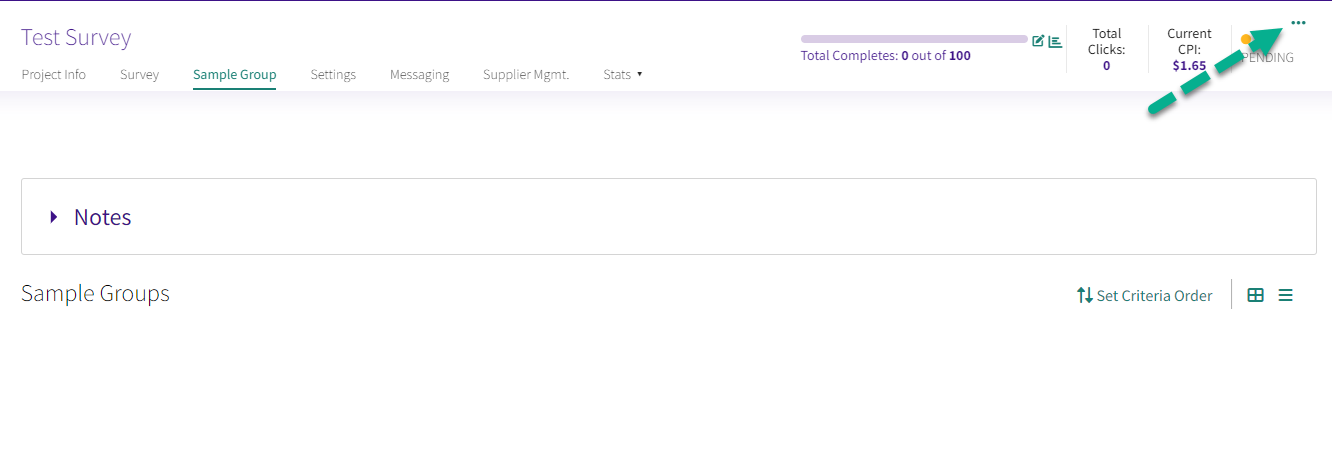
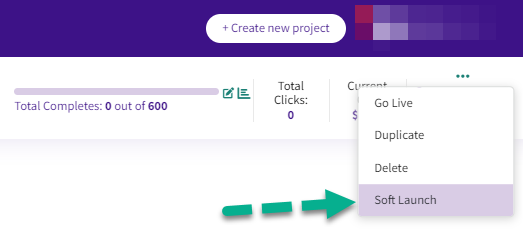
Select 'Soft Launch' from the dropdown menu on the top right corner after clicking on the three dots:
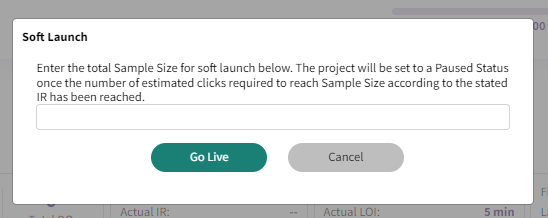
Confirm the number of completes you'd like for the soft launch. A maximum of 20 completes can be collected, and the project will automatically paused when the goal is reached.
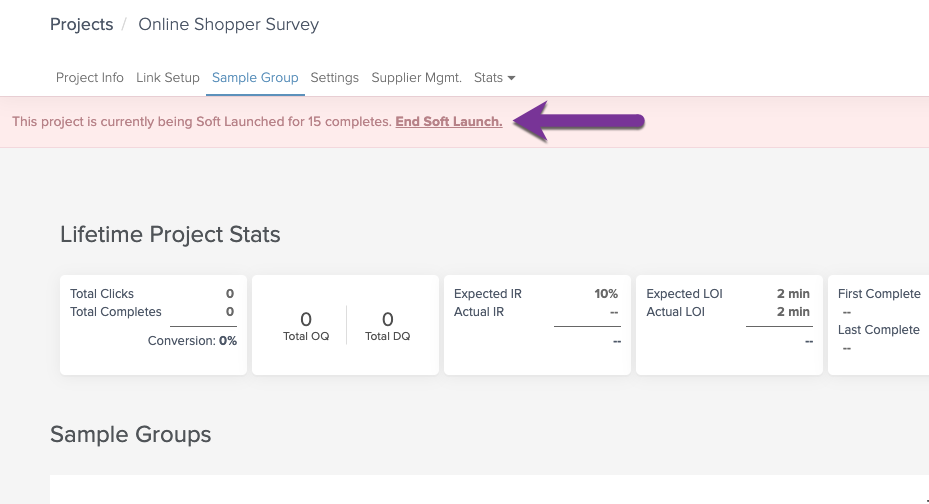
When the Soft Launch goal is reached, clicking 'End Soft Launch' will confirm the soft launch is done and set the project to Paused, until you are ready for a full launch.
Have more questions or need additional support?
Our experts are happy to do a screen share and walk-through of this process with you.
Submit a request or Live Chat with us!