
Custom questions can be created to supplement the 250+ targeting points in our Question Library. These can be be re-used in other projects by all users on your peeq account. On projects using custom questions, respondents entering the study will be asked the question if they have not previously answered it, and be directed based on the targeting in your sample group(s).
Respondent answers to custom questions are saved and can be re-used later on other projects like a profiling point. They can be selected in "targeting criteria" under Custom Questions in a sample group.
- Custom questions are usable by all users on your peeq account
- Responses collected on custom questions saved and can be reused on other projects
- Disqualifications on a custom questions will count factor into the project's incidence rate
- Feasibility counts at the Sample Group level display all questions already added to a sample group EXCLUDING custom questions.
Creating and Managing Custom Questions
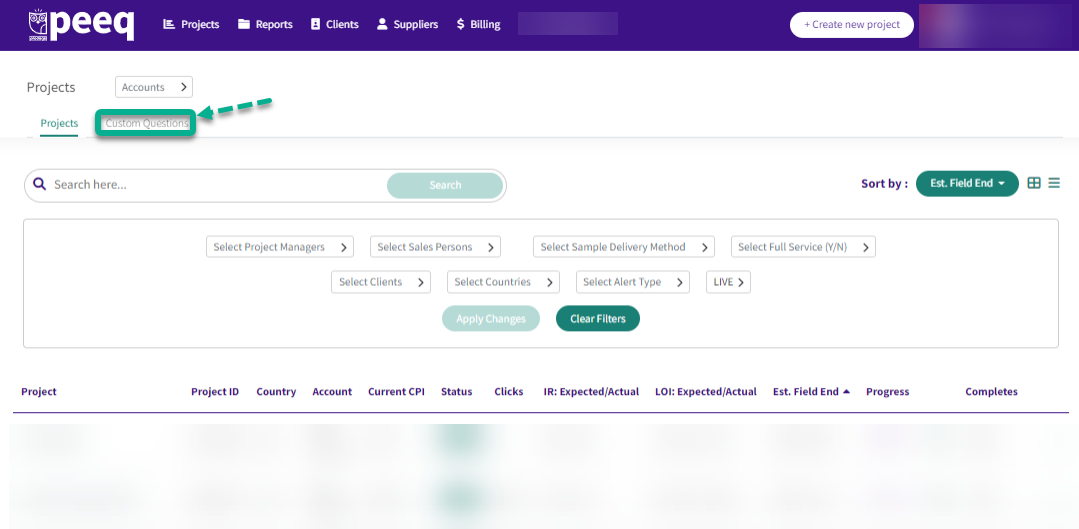
Custom Questions can set up and managed via a new tab accessed in the Custom Questions tab of the dashboard.
Create or Edit a Custom Question
Clicking "+ Add New Question" opens the New Question Page. Fields available are: Short Name, Question Text, Question Type, and Answers. At launch, single select and multi select question types are available. The Short Name is for reference and is not shown to respondents.
Questions can also be edited from this menu. Only new responses can be added, and cannot be changed once respondents have been profiled in this question.
When creating answers, you can click  to add a new answer field or
  to remove an answer. When you are done creating your question and adding answers, click "Save Question" and you are done.
to add a new answer field or to remove an answer. When you are done creating your question and adding answers, click "Save Question" and you are done.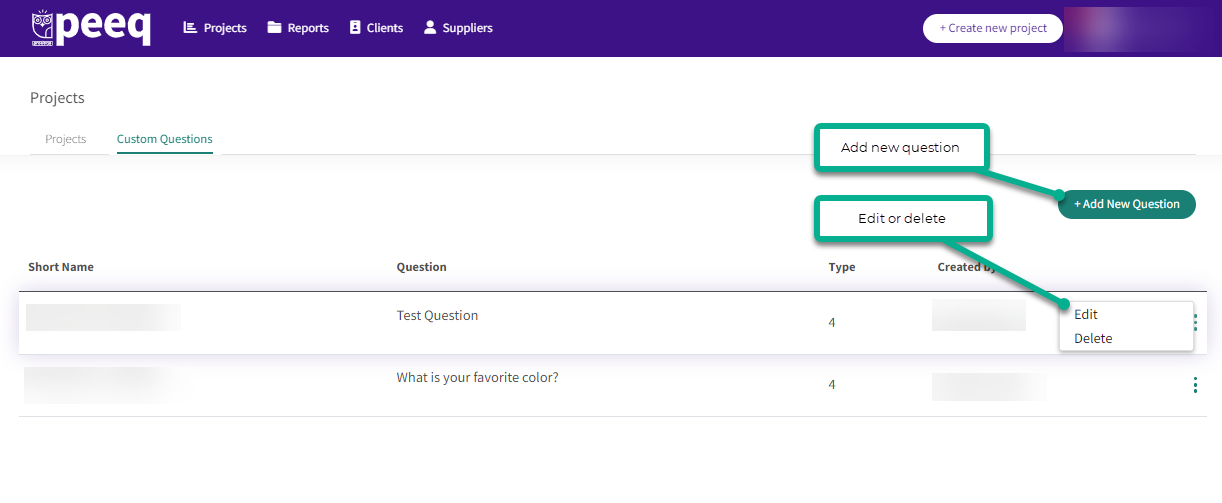
Managing existing Questions
In the Custom Questions menu, you can see existing Custom Questions, as well as the options to add, edit or delete.
Adding Questions to Sample Groups
Once created, custom questions will appear in a new section in Targeting Criteria, on the Sample Group page, under "Custom Questions." From here, they can be used like a targeting point, allowing for distribution, answer grouping, etc.
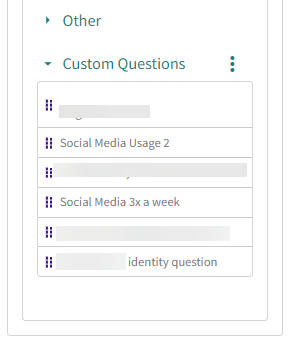
Custom Questions can also be added or managed from the targeting criteria by hovering over the three dots on the right hand side.
Custom Question DQs
It is important to note that Custom Questions count towards a project's IR. This means DQs resulting from custom questions will negatively impact a project's IR and can potentially cause a CPI price increase.
The DQs can be viewed in the Stats tab, under Terminate Details: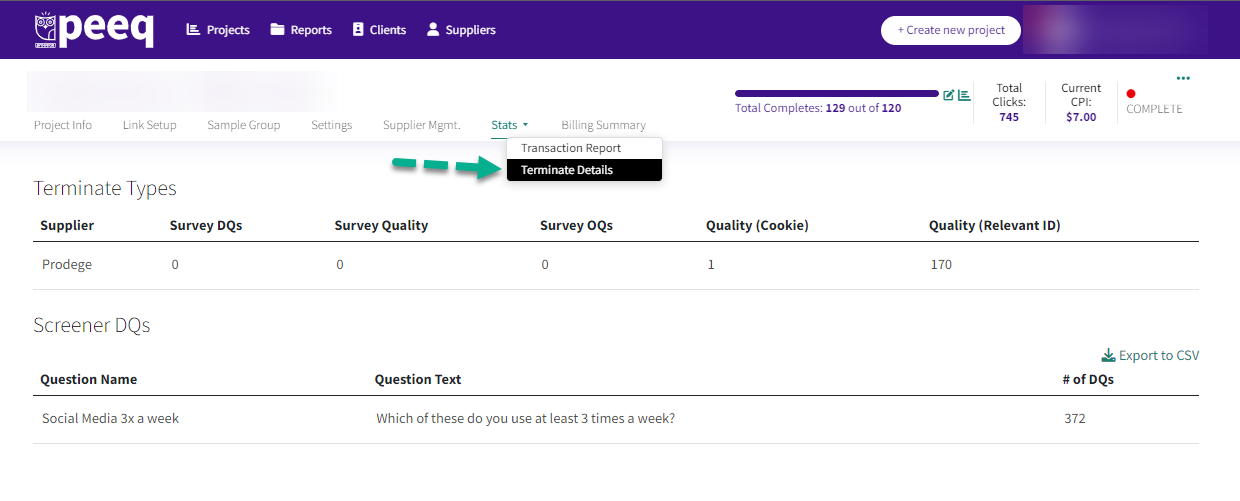
Have more questions or need additional support?
Our experts are happy to do a screen share and walk-through of this process with you.
Submit a request or Live Chat with us!